
Documentation
Setup: brands, topics & prompts
Setup is where you tell CiteLens what to measure: your brand and its aliases, the competitors to benchmark, the topics you sell into, and the prompts that represent real buyer questions.
ATBy Alper Tekin · Founder, CiteLens
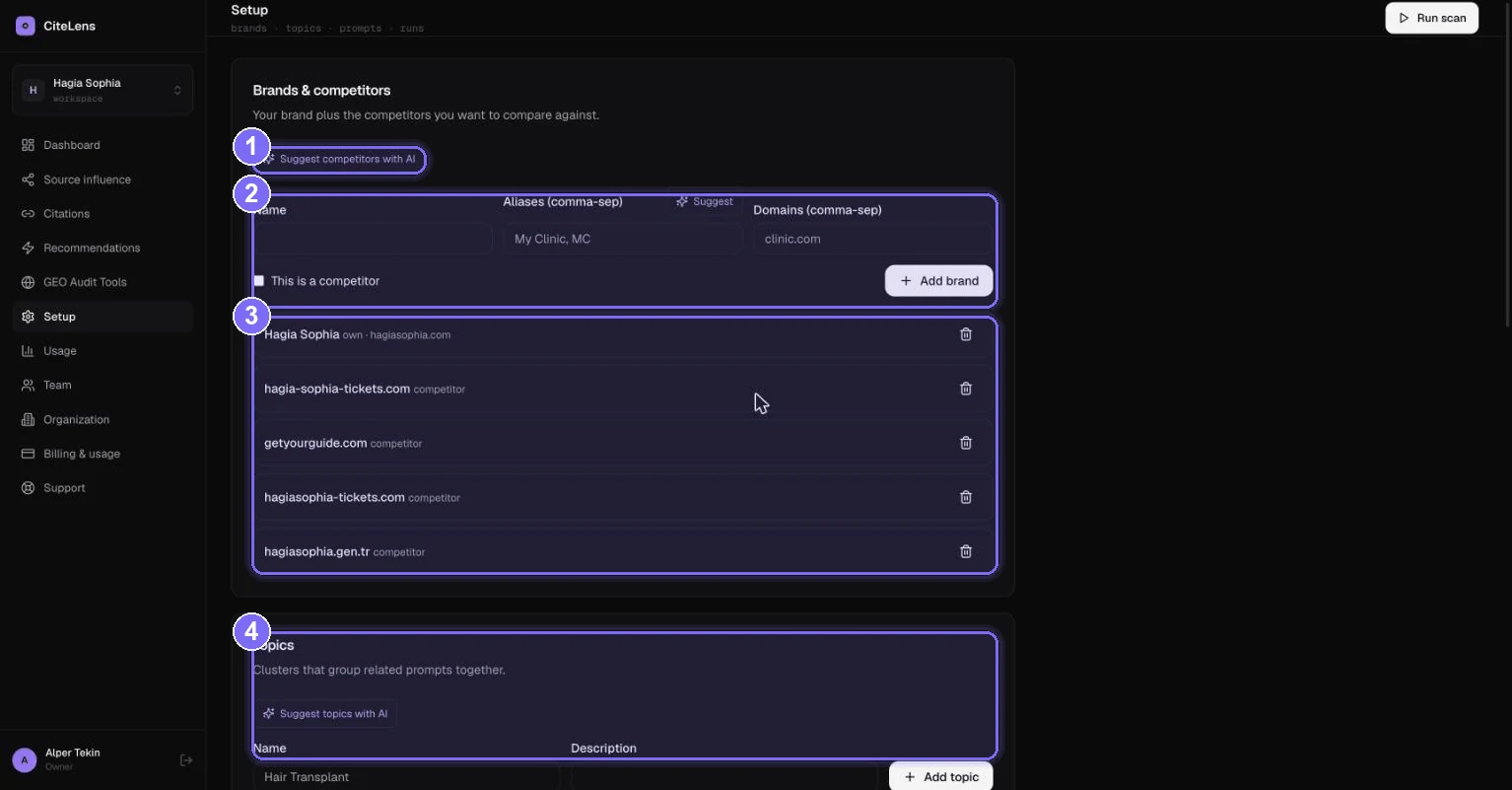
- 1Suggest competitors with AI — auto-discovers the brands you compete with for your topics.
- 2Add a brand or competitor — give a name, aliases (comma-separated) and domains.
- 3Your tracked brands & competitors — your own brand is marked “own”; the rest are competitors.
- 4Topics — clusters that group related prompts so your reports stay organized.
Aliases are the secret to accurate detection
AI answers refer to brands in many forms — “Acme”, “Acme Clinic”, “AcmeClinic”. Add every common variation as an alias so CiteLens counts a mention no matter how the engine phrases it. The same applies to domains: list each domain and subdomain you own so domain citations are attributed to you correctly.
- 1Add your brandName + aliases + the domains you own. Leave “This is a competitor” unchecked.
- 2Add competitorsRepeat for each competitor, checking “This is a competitor”. Or let AI suggest them.
- 3Create topicsGroup prompts by theme (e.g. “hair transplant”, “pricing”). Topics power the per-topic breakdowns.
- 4Add or generate promptsWrite the questions buyers actually ask AI, or let CiteLens suggest them from your site and search demand.
- 5Run a scanCiteLens queries every engine with every prompt and repeats for confidence. Re-run on a weekly cadence to track trends.